<?xml version="1.0" encoding="utf-8"?>
<feed xmlns="http://www.w3.org/2005/Atom" xmlns:media="http://search.yahoo.com/mrss/">
    <title>securemastervpn.com</title>
    <link href="https://securemastervpn.com/feed.xml" rel="self" />
    <link href="https://securemastervpn.com" />
    <updated>2026-05-28T11:01:13+06:00</updated>
    <author>
        <name>securemastervpn</name>
    </author>
    <id>https://securemastervpn.com</id>

    <entry>
        <title>Why Mac and iPhone Users Still Need a VPN in 2026</title>
        <author>
            <name>securemastervpn</name>
        </author>
        <link href="https://securemastervpn.com/why-mac-iphone-users-need-vpn-2026.html"/>
        <id>https://securemastervpn.com/why-mac-iphone-users-need-vpn-2026.html</id>
        <media:content url="https://securemastervpn.com/media/posts/11/why-mac-iphone-users-need-vpn-2026.jpg" medium="image" />

        <updated>2026-05-28T10:58:52+06:00</updated>
            <summary type="html">
                <![CDATA[
                        <img src="https://securemastervpn.com/media/posts/11/why-mac-iphone-users-need-vpn-2026.jpg" alt="MacBook and iPhone displaying VPN security protection shield icon on screen" />
                    Apple's reputation for security leads many Mac and iPhone users to believe they don't need additional protection. While Apple devices&hellip;
                ]]>
            </summary>
        <content type="html">
            <![CDATA[
                    <p><img src="https://securemastervpn.com/media/posts/11/why-mac-iphone-users-need-vpn-2026.jpg" class="type:primaryImage" alt="MacBook and iPhone displaying VPN security protection shield icon on screen" /></p>
                <p>Apple's reputation for security leads many Mac and iPhone users to believe they don't need additional protection. While Apple devices include robust built-in security features, they don't provide complete privacy protection against modern online threats. A VPN remains essential for safeguarding your internet activity, especially on public networks, preventing tracking, and securing sensitive data. This guide explains why VPN protection matters for Apple users in 2026.</p>
<h2>Apple's Security Features Don't Cover Everything</h2>
<p>macOS and iOS include excellent security measures like FileVault encryption, Gatekeeper malware protection, and iCloud Private Relay. However, these features primarily protect your device and some browsing activity—they don't encrypt all your internet traffic or hide your IP address from websites, advertisers, and internet service providers.</p>
<p><strong>What Apple's built-in security misses:</strong></p>
<ul>
<li>Your ISP can still see which websites you visit and sell this data to advertisers</li>
<li>Websites and online services track your real IP address and physical location</li>
<li>Public Wi-Fi hotspots at coffee shops and airports remain vulnerable to snooping</li>
<li>Streaming services restrict content based on your geographic location</li>
<li>Ad networks build detailed profiles of your browsing habits across devices</li>
</ul>
<p>iCloud Private Relay, available to iCloud+ subscribers, only protects Safari browsing and doesn't work with other apps or services. A comprehensive VPN encrypts traffic from all applications on your Mac or iPhone.</p>
<h2>Public Wi-Fi Threats Haven't Disappeared</h2>
<p>Mac and iPhone users frequently connect to public Wi-Fi networks at airports, hotels, cafes, and conferences. These networks present significant security risks even in 2026, despite Apple's security architecture.</p>
<table>
<thead>
<tr>
<th>Threat Type</th>
<th>Risk Level</th>
<th>VPN Protection</th>
</tr>
</thead>
<tbody>
<tr>
<td>Man-in-the-Middle Attacks</td>
<td>High</td>
<td>Prevents interception</td>
</tr>
<tr>
<td>Fake Wi-Fi Hotspots</td>
<td>High</td>
<td>Encrypts all traffic</td>
</tr>
<tr>
<td>Unencrypted Data Transmission</td>
<td>Medium</td>
<td>Full encryption</td>
</tr>
<tr>
<td>Session Hijacking</td>
<td>Medium</td>
<td>Secures connections</td>
</tr>
</tbody>
</table>
<p>When you connect to public Wi-Fi without a VPN, other users on the same network can potentially intercept unencrypted data. This includes login credentials, email content, and personal information. A VPN creates an encrypted tunnel between your device and the internet, making your data unreadable to anyone monitoring the network.</p>
<h2>Privacy from ISPs and Data Brokers</h2>
<p>Your internet service provider tracks every website you visit, even on Apple devices. ISPs in many countries legally sell this browsing history to advertisers and data brokers. Apple's security features cannot prevent this surveillance because it happens at the network level, before data reaches your device.</p>
<p>A VPN encrypts your internet traffic and routes it through secure servers, preventing your ISP from monitoring your online activity. Your ISP only sees encrypted data flowing to the VPN server—they cannot identify specific websites or services you access. This privacy protection applies to both your home network and cellular data connections.</p>
<h2>Enhanced Security for Sensitive Activities</h2>
<p>Certain online activities require extra privacy protection, even on secure Apple devices. <strong>Banking transactions</strong>, <strong>medical consultations</strong>, and <strong>confidential work communications</strong> deserve additional encryption layers beyond what macOS and iOS provide by default.</p>
<p>VPNs also protect against:</p>
<ul>
<li><strong>DNS leaks:</strong> Preventing your DNS queries from revealing browsing activity</li>
<li><strong>IP-based tracking:</strong> Hiding your real location from websites and advertisers</li>
<li><strong>Targeted attacks:</strong> Making it harder for hackers to target your specific IP address</li>
<li><strong>Government surveillance:</strong> Adding privacy in countries with extensive internet monitoring</li>
</ul>
<p>Remote workers using Mac devices to access company networks benefit significantly from VPN protection, securing corporate data even when working from coffee shops or traveling internationally.</p>
<h2>Choosing the Right VPN for Apple Devices</h2>
<p>Not all VPNs work equally well with macOS and iOS. Look for services offering native apps designed specifically for Apple's ecosystem, strong encryption protocols like WireGuard or IKEv2, and a strict no-logs policy verified by independent audits.</p>
<p>The best VPNs for Mac and iPhone users provide easy installation, minimal battery impact on mobile devices, and reliable connections across both platforms. Test the VPN with your most-used applications to ensure compatibility and performance meet your needs.</p>
<p>While Apple devices offer excellent baseline security, VPNs provide essential privacy protection that built-in features cannot deliver. Combining Apple's security architecture with a trusted VPN service creates comprehensive protection for your online activity in 2026. Choose a reputable VPN provider and enable it whenever connecting to public networks or handling sensitive information.</p>
            ]]>
        </content>
    </entry>
    <entry>
        <title>Are Free VPNs Safe? The Hidden Risks Explained</title>
        <author>
            <name>securemastervpn</name>
        </author>
        <link href="https://securemastervpn.com/are-free-vpns-safe-hidden-risks.html"/>
        <id>https://securemastervpn.com/are-free-vpns-safe-hidden-risks.html</id>
        <media:content url="https://securemastervpn.com/media/posts/10/are-free-vpns-safe-hidden-risks.jpg" medium="image" />

        <updated>2026-05-23T10:54:20+06:00</updated>
            <summary type="html">
                <![CDATA[
                        <img src="https://securemastervpn.com/media/posts/10/are-free-vpns-safe-hidden-risks.jpg" alt="Concerned person using laptop with privacy warning symbols representing free VPN security risks" />
                    Free VPNs promise privacy protection without the price tag, but that "free" service often comes with serious hidden costs. While&hellip;
                ]]>
            </summary>
        <content type="html">
            <![CDATA[
                    <p><img src="https://securemastervpn.com/media/posts/10/are-free-vpns-safe-hidden-risks.jpg" class="type:primaryImage" alt="Concerned person using laptop with privacy warning symbols representing free VPN security risks" /></p>
                <p>Free VPNs promise privacy protection without the price tag, but that "free" service often comes with serious hidden costs. While premium VPNs charge subscription fees to maintain infrastructure and security, free services need revenue too—and they frequently get it by compromising your data. In this post, we'll expose the real risks lurking behind free VPN services and help you understand when free might cost you more than money.</p>
<h2>How Free VPNs Actually Make Money</h2>
<p>Nothing in the digital world is truly free. <strong>Free VPN providers</strong> need revenue to operate servers, maintain apps, and stay in business. The most common monetization methods include displaying intrusive ads, selling your browsing data to third parties, or embedding tracking scripts. Some free services operate on a freemium model with severe limitations—restricted bandwidth, slower speeds, or limited server access—hoping you'll upgrade to paid tiers.</p>
<p>The concerning reality is that <strong>many free VPNs explicitly state in their privacy policies</strong> that they collect and share user data. This defeats the entire purpose of using a VPN for privacy. Others partner with data brokers or advertising networks, turning your browsing habits into a commodity. When you're not paying for the product, you often become the product.</p>
<h2>Common Security Vulnerabilities in Free VPNs</h2>
<p>Beyond questionable business practices, free VPNs frequently suffer from serious security flaws. Many use <strong>outdated encryption protocols</strong> or weak ciphers that can be easily compromised. Some don't encrypt traffic at all, functioning more like proxies than true VPNs. Research has found that numerous free VPN apps contain malware, spyware, or security vulnerabilities that expose users to greater risk than using no VPN at all.</p>
<p>Additional technical concerns include:</p>
<ul>
<li>DNS and IP leaks that expose your real location</li>
<li>Absence of kill switches that protect you if connections drop</li>
<li>Poor server maintenance creating security gaps</li>
<li>Logging policies that record your online activities</li>
</ul>
<h2>Free vs Paid VPNs: Key Differences</h2>
<p>Understanding what you sacrifice with free services helps clarify the value proposition of paid alternatives. The table below highlights critical differences that impact your security and privacy:</p>
<table>
<thead>
<tr>
<th>Feature</th>
<th>Free VPNs</th>
<th>Paid VPNs</th>
</tr>
</thead>
<tbody>
<tr>
<td>Data logging</td>
<td>Often extensive tracking</td>
<td>No-logs policies (audited)</td>
</tr>
<tr>
<td>Encryption</td>
<td>Weak or outdated</td>
<td>Military-grade AES-256</td>
</tr>
<tr>
<td>Server network</td>
<td>Limited locations</td>
<td>Hundreds of servers worldwide</td>
</tr>
<tr>
<td>Speed limits</td>
<td>Heavily throttled</td>
<td>Unlimited bandwidth</td>
</tr>
<tr>
<td>Customer support</td>
<td>Minimal or none</td>
<td>24/7 support available</td>
</tr>
</tbody>
</table>
<p>The performance gap between free and paid services directly impacts your online experience and security posture.</p>
<h2>Red Flags to Watch For</h2>
<p>Not all free VPNs are equally risky, but certain warning signs indicate you should stay away. <strong>Vague privacy policies</strong> that don't clearly explain data handling are major red flags. If a provider is based in countries with weak privacy laws or won't disclose its ownership, that's concerning. Apps requesting excessive permissions beyond what's needed for VPN functionality often have ulterior motives.</p>
<p>Be especially wary of free VPNs that originate from unknown developers with no verifiable track record. Check app store reviews for patterns of suspicious behavior, unexpected ads, or performance issues. Research the provider's reputation through independent security audits and privacy advocacy groups before installation.</p>
<h2>When Free VPNs Might Be Acceptable</h2>
<p>There are limited scenarios where reputable free VPNs serve legitimate purposes. <strong>Freemium models from established providers</strong> like ProtonVPN or Windscribe offer genuinely secure free tiers with transparent limitations. These work well for occasional use, light browsing, or testing VPN services before committing to paid plans. They maintain their reputation by not compromising user security in free versions.</p>
<p>However, even trustworthy free tiers come with constraints—limited server selection, slower speeds, or data caps. They're suitable for basic privacy needs but inadequate for streaming, torrenting, or protecting sensitive business activities. For comprehensive online security, investing in a reputable paid VPN service remains the safest choice.</p>
<p><strong>The bottom line:</strong> While a handful of free VPNs operate ethically with transparent limitations, most pose significant privacy and security risks. Your personal data and online safety are worth the modest cost of a reliable paid VPN service. Choose providers with proven track records, clear privacy policies, and independent security audits to truly protect your digital life.</p>
            ]]>
        </content>
    </entry>
    <entry>
        <title>VPN vs Proxy: Which One Do You Actually Need?</title>
        <author>
            <name>securemastervpn</name>
        </author>
        <link href="https://securemastervpn.com/vpn-vs-proxy-which-one-do-you-need.html"/>
        <id>https://securemastervpn.com/vpn-vs-proxy-which-one-do-you-need.html</id>
        <media:content url="https://securemastervpn.com/media/posts/9/vpn-vs-proxy-which-one-do-you-need.jpg" medium="image" />

        <updated>2026-05-22T18:52:48+06:00</updated>
            <summary type="html">
                <![CDATA[
                        <img src="https://securemastervpn.com/media/posts/9/vpn-vs-proxy-which-one-do-you-need.jpg" alt="Person choosing between VPN and proxy server on laptop with security icons" />
                    Trying to decide between a VPN and a proxy can feel overwhelming, especially when both promise to hide your IP&hellip;
                ]]>
            </summary>
        <content type="html">
            <![CDATA[
                    <p><img src="https://securemastervpn.com/media/posts/9/vpn-vs-proxy-which-one-do-you-need.jpg" class="type:primaryImage" alt="Person choosing between VPN and proxy server on laptop with security icons" /></p>
                <p>Trying to decide between a VPN and a proxy can feel overwhelming, especially when both promise to hide your IP address and boost your privacy. The truth is, they work differently and serve distinct purposes. Understanding these differences will help you choose the right tool for your specific needs, whether that's streaming content, browsing anonymously, or securing sensitive data. Let's break down what each technology offers and when you should use one over the other.</p>
<h2>What Is a Proxy Server?</h2>
<p>A <strong>proxy server</strong> acts as an intermediary between your device and the internet. When you connect through a proxy, your web requests go through this server first, which then forwards them to your destination. The website sees the proxy's IP address instead of yours, giving you basic anonymity.</p>
<p>Proxies typically work at the application level, meaning you configure them for specific apps or browsers rather than your entire internet connection. They're fast, simple to set up, and often free. However, <strong>most proxies don't encrypt your traffic</strong>, leaving your data visible to anyone monitoring the connection, including your internet service provider.</p>
<p>Common proxy types include:</p>
<ul>
<li><strong>HTTP proxies</strong> – Handle web traffic only</li>
<li><strong>SOCKS proxies</strong> – More versatile, work with various protocols</li>
<li><strong>Transparent proxies</strong> – Don't hide your IP (used by schools/businesses)</li>
</ul>
<h2>What Is a VPN?</h2>
<p>A <strong>Virtual Private Network (VPN)</strong> creates an encrypted tunnel between your device and a VPN server. All your internet traffic passes through this secure tunnel, protecting it from prying eyes. Unlike proxies, VPNs work at the operating system level, securing every application and service on your device simultaneously.</p>
<p>VPNs use <strong>strong encryption protocols</strong> like OpenVPN, WireGuard, or IKEv2 to scramble your data. This means your ISP, government agencies, or hackers on public Wi-Fi can't see what you're doing online. You also get a different IP address, helping you bypass geographic restrictions and maintain privacy.</p>
<p>The tradeoff? VPNs typically cost money for reliable service and may slow down your connection slightly due to encryption overhead. However, the security benefits far outweigh these minor inconveniences for most privacy-conscious users.</p>
<h2>Key Differences: VPN vs Proxy Comparison</h2>
<p>Understanding the core differences between these tools helps you make an informed decision. Here's a side-by-side comparison of their main features:</p>
<table>
<thead>
<tr>
<th>Feature</th>
<th>VPN</th>
<th>Proxy</th>
</tr>
</thead>
<tbody>
<tr>
<td>Encryption</td>
<td>Yes, military-grade</td>
<td>Usually none</td>
</tr>
<tr>
<td>Speed</td>
<td>Moderate (encryption overhead)</td>
<td>Fast (no encryption)</td>
</tr>
<tr>
<td>Coverage</td>
<td>Entire device/system</td>
<td>Per-application</td>
</tr>
<tr>
<td>Security level</td>
<td>High</td>
<td>Low to moderate</td>
</tr>
<tr>
<td>Cost</td>
<td>Usually paid ($3-12/month)</td>
<td>Often free or cheap</td>
</tr>
</tbody>
</table>
<p>The choice becomes clearer when you consider your primary goal. Need comprehensive security? Choose a VPN. Just want to quickly access geo-blocked content without security concerns? A proxy might suffice.</p>
<h2>When to Use a Proxy</h2>
<p>Proxies shine in specific, low-stakes scenarios where speed matters more than security. They're ideal for <strong>bypassing simple geographic restrictions</strong> on websites or accessing region-locked content when you're not handling sensitive information.</p>
<p>Consider using a proxy when:</p>
<ul>
<li>You need to quickly check content availability in another region</li>
<li>You're doing web scraping or automation tasks</li>
<li>You want faster speeds for casual browsing (non-sensitive)</li>
<li>You need a quick IP change for a single application</li>
</ul>
<p><strong>Never use a proxy</strong> for online banking, shopping, or transmitting personal information. Without encryption, your data is exposed to potential interception.</p>
<h2>When to Use a VPN</h2>
<p>VPNs are the better choice for anyone serious about online privacy and security. Use a VPN whenever you're handling <strong>sensitive information</strong>, using public Wi-Fi, or want comprehensive protection across all your online activities.</p>
<p>VPNs are essential for:</p>
<ul>
<li>Working remotely and accessing company resources securely</li>
<li>Using public Wi-Fi at cafes, airports, or hotels</li>
<li>Protecting financial transactions and personal data</li>
<li>Avoiding ISP tracking and data collection</li>
<li>Bypassing censorship in restrictive countries</li>
</ul>
<p>While free VPNs exist, investing in a <strong>reputable paid service</strong> ensures better speeds, stronger privacy policies, and reliable customer support. Remember, if a VPN is free, you might be the product.</p>
<h2>Conclusion: Making Your Choice</h2>
<p>The VPN vs proxy debate isn't about which is universally better—it's about matching the tool to your needs. Proxies offer speed and simplicity for low-risk tasks, while VPNs provide robust security for everything else. For most people concerned about online privacy, a quality VPN is the smarter investment. It protects all your traffic, encrypts your data, and gives you peace of mind across every online activity. Ready to level up your privacy? Start with a trusted VPN service and browse with confidence.</p>
            ]]>
        </content>
    </entry>
    <entry>
        <title>How to Choose a VPN in 2026: A Complete Buyer&#x27;s Guide</title>
        <author>
            <name>securemastervpn</name>
        </author>
        <link href="https://securemastervpn.com/how-to-choose-vpn-2026-buyers-guide.html"/>
        <id>https://securemastervpn.com/how-to-choose-vpn-2026-buyers-guide.html</id>
        <media:content url="https://securemastervpn.com/media/posts/8/how-to-choose-vpn-2026-buyers-guide.jpg" medium="image" />

        <updated>2026-05-22T18:21:17+06:00</updated>
            <summary type="html">
                <![CDATA[
                        <img src="https://securemastervpn.com/media/posts/8/how-to-choose-vpn-2026-buyers-guide.jpg" alt="Person comparing VPN options on laptop with security icons displayed on screen" />
                    Choosing a VPN in 2026 feels overwhelming with hundreds of providers competing for your attention. You need protection that actually&hellip;
                ]]>
            </summary>
        <content type="html">
            <![CDATA[
                    <p><img src="https://securemastervpn.com/media/posts/8/how-to-choose-vpn-2026-buyers-guide.jpg" class="type:primaryImage" alt="Person comparing VPN options on laptop with security icons displayed on screen" /></p>
                <p>Choosing a VPN in 2026 feels overwhelming with hundreds of providers competing for your attention. You need protection that actually works, not just marketing promises. This guide cuts through the noise to help you identify the VPN features that matter most for your privacy, security, and browsing needs.</p>
<h2>Security and Privacy Standards You Can't Compromise On</h2>
<p>The foundation of any good VPN is its security infrastructure. In 2026, these features are non-negotiable for serious privacy protection:</p>
<ul>
<li><strong>AES-256 encryption:</strong> This military-grade standard remains the gold standard for protecting your data from interception</li>
<li><strong>WireGuard or OpenVPN protocols:</strong> These open-source protocols offer the best balance of speed and security</li>
<li><strong>Kill switch functionality:</strong> Automatically disconnects your internet if the VPN drops, preventing data leaks</li>
<li><strong>No-logs policy:</strong> Choose providers that don't store your browsing history, connection times, or IP addresses</li>
<li><strong>Independent audits:</strong> Look for third-party security audits published within the last two years</li>
</ul>
<p>Don't trust claims alone. Research whether your VPN provider has ever been tested in court or by independent security researchers. Real-world verification matters more than marketing copy.</p>
<h2>Performance Factors That Impact Your Daily Experience</h2>
<p>Security means nothing if your VPN is too slow to use. Modern VPNs should deliver performance that barely impacts your browsing experience. Test for connection speeds above 100 Mbps on nearby servers and at least 50 Mbps on distant international servers. Server network size matters too—providers with 3,000+ servers across 50+ countries give you better options for finding fast, uncongested connections.</p>
<p>Consider your specific use cases. Streaming requires consistent speeds and servers that work with Netflix, Hulu, and BBC iPlayer. Gaming demands low latency under 50ms. Torrenting needs P2P-friendly servers and unlimited bandwidth. Make sure your VPN explicitly supports your primary activities before committing.</p>
<h2>Jurisdiction and Company Transparency</h2>
<p>Where your VPN company operates legally affects how your data might be handled. Providers based in <strong>privacy-friendly jurisdictions</strong> like Switzerland, Panama, or the British Virgin Islands operate outside the reach of Five Eyes, Nine Eyes, and Fourteen Eyes surveillance alliances. These international intelligence-sharing agreements can compel companies to hand over user data.</p>
<p>Research the company's ownership structure and funding sources. VPNs owned by parent companies with questionable data practices should raise red flags. Transparent providers openly share information about their team, business registration, and leadership.</p>
<h2>Pricing Models and Value Considerations</h2>
<p>VPN pricing varies dramatically, from $2 to $15 monthly depending on commitment length. Here's how to evaluate value beyond the price tag:</p>
<ol>
<li><strong>Multi-year plans:</strong> Often 60-80% cheaper than monthly rates, but only commit if you've tested the service first</li>
<li><strong>Simultaneous connections:</strong> Most quality VPNs now offer 5-10 device connections per account</li>
<li><strong>Money-back guarantees:</strong> 30-day refund periods let you test without risk</li>
<li><strong>Payment methods:</strong> Cryptocurrency and cash options provide additional privacy</li>
</ol>
<p>Free VPNs typically monetize through data collection, bandwidth limits, or intrusive ads. If you're not paying with money, you're paying with your data—exactly what a VPN should protect.</p>
<h2>User Experience and Customer Support</h2>
<p>You'll interact with your VPN daily, so usability matters. Download trial versions or free tiers to test the interface on your devices. Look for one-click connection options, clear server selection, and intuitive settings. Quality providers offer apps for Windows, Mac, iOS, Android, Linux, and browser extensions.</p>
<p>Check customer support responsiveness through live chat before purchasing. Test their knowledge with technical questions about protocols or configuration. Email-only support often means waiting 24-48 hours for answers when you need help immediately.</p>
<h2>Making Your Final Decision</h2>
<p>The right VPN balances security, performance, and value for your specific needs. Start by identifying your primary use case, then prioritize providers that excel in that area while meeting baseline security standards. Use trial periods to test real-world performance before committing to long-term plans. Remember, the best VPN is one you'll actually use consistently—and that requires finding the right balance of protection and convenience for your digital life.</p>
            ]]>
        </content>
    </entry>
    <entry>
        <title>How VPN Traffic Is Detected: DPI, Fingerprints, and Network Heuristics</title>
        <author>
            <name>securemastervpn</name>
        </author>
        <link href="https://securemastervpn.com/how-vpn-traffic-is-detected-dpi-fingerprints-and-network-heuristics.html"/>
        <id>https://securemastervpn.com/how-vpn-traffic-is-detected-dpi-fingerprints-and-network-heuristics.html</id>
        <media:content url="https://securemastervpn.com/media/posts/1/nano-banana-2026-01-16T08-36-35.png" medium="image" />

        <updated>2026-01-16T14:37:14+06:00</updated>
            <summary type="html">
                <![CDATA[
                        <img src="https://securemastervpn.com/media/posts/1/nano-banana-2026-01-16T08-36-35.png" alt="" />
                    Many people assume that because a VPN encrypts your traffic, it automatically becomes “invisible.” Encryption does protect content from being&hellip;
                ]]>
            </summary>
        <content type="html">
            <![CDATA[
                    <p><img src="https://securemastervpn.com/media/posts/1/nano-banana-2026-01-16T08-36-35.png" class="type:primaryImage" alt="" /></p>
                <p>Many people assume that because a VPN encrypts your traffic, it automatically becomes “invisible.” Encryption does protect content from being read in transit, but it does not remove all identifying signals. In restricted or heavily monitored environments, networks often focus less on what data contains and more on what traffic <strong>looks like</strong>.</p>
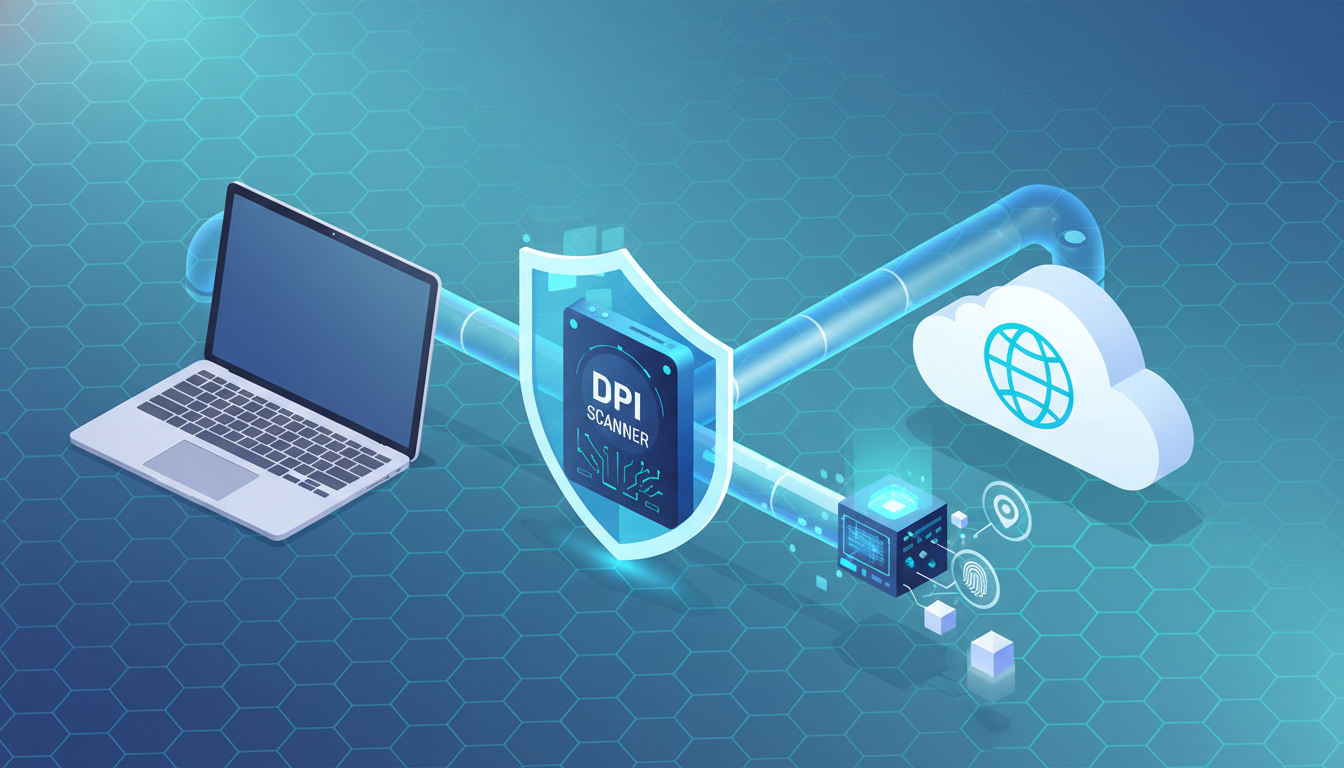
<p>This is where detection systems such as Deep Packet Inspection (DPI), protocol fingerprinting, and traffic heuristics come in. They do not need to decrypt your traffic to identify patterns. They only need enough clues to classify it with high confidence.</p>
<p>To understand VPN detection, it helps to separate two ideas: <strong>privacy</strong> and <strong>stealth</strong>. A VPN can provide privacy by encrypting traffic content, but stealth requires that traffic blends in with what the network expects to see. Some networks actively search for VPN-related patterns and treat them as suspicious regardless of user intent.</p>
<p>DPI stands for Deep Packet Inspection. Despite the name, DPI does not always mean “reading everything inside your packets.” Modern DPI tools focus on analyzing data flows, metadata, and protocol behaviors. They can classify traffic based on attributes such as handshake structure, header patterns, timing, and connection characteristics.</p>
<p>The easiest detection layer is <strong>IP-based blocking</strong>. VPN providers operate known server ranges, and many are hosted in datacenters. Networks can blacklist IPs, entire subnets, or even Autonomous System Numbers (ASNs) associated with VPN and hosting infrastructure. This is why some VPN endpoints may work one day and fail the next: the IP reputation changed.</p>
<p>The next layer is <strong>port and protocol filtering</strong>. Certain protocols often use common ports. A network may restrict or flag traffic based on unusual ports or specific protocol behavior. Even when a VPN uses a standard port, its communication patterns can still stand out from normal web browsing.</p>
<p>One of the most important detection methods is <strong>handshake fingerprinting</strong>. Most encrypted protocols start with a handshake phase—an exchange that sets up keys and negotiates parameters. Even if the payload becomes fully encrypted after this point, the handshake itself can expose identifying traits.</p>
<p>These traits can include protocol versions, cipher suite preferences, message ordering, and timing signatures. Some detection systems compare observed handshakes to known fingerprints. If they match, the traffic can be classified as a VPN or tunneling protocol with surprisingly high accuracy.</p>
<p>Another common detection method involves analyzing <strong>traffic patterns</strong>. VPN traffic can have different packet sizes and timing behavior compared to typical web browsing. For example, streaming, continuous tunnels, or long-lived encrypted connections may look different from short, bursty connections to multiple websites.</p>
<p>Network heuristics often focus on what is statistically unusual. If a user suddenly generates a stable encrypted session for long durations with consistent throughput, it can stand out from normal browsing where connections start and stop frequently across many domains.</p>
<p>DNS behavior can also contribute to detection and classification. Even when browsing content is encrypted, domain resolution requests can reveal where a device intends to connect. If DNS requests show one pattern while encrypted tunnels show another, correlation becomes easier. This is one reason privacy discussions often emphasize DNS routing and leak prevention.</p>
<p>In addition to detection, many networks apply <strong>risk scoring</strong>. The network may not “ban VPNs” in a strict sense, but it can reduce priority, throttle traffic, trigger verification challenges, or block specific high-risk endpoints. This approach is common because it is flexible and can be adjusted without explicit policy statements.</p>
<p>It is also important to recognize that detection does not always require advanced government-grade tooling. Many commercial firewalls and enterprise security appliances include classification modules capable of identifying common tunneling protocols. In corporate settings, detection is often used for compliance rather than censorship.</p>
<p>The key takeaway is that VPN detection is not a single technique. It is usually a layered system combining IP reputation, handshake fingerprints, traffic analysis, and policy enforcement. Even if one layer fails, another may succeed.</p>
<p>This reality explains why some VPN connections can be unstable in restricted environments: the network adapts, the endpoint gets flagged, the protocol pattern becomes recognizable, or reputation changes over time. Encryption stays strong, but classification becomes easier.</p>
<p>For users who rely on VPNs for lawful privacy, the safest mindset is not “how to defeat detection,” but “how to understand what networks measure and why different VPN setups behave differently.” This knowledge helps you choose privacy tools more intelligently and avoid unrealistic expectations.</p>
<p>Ultimately, privacy is not just about hiding content—it is about reducing exposure of signals that allow correlation. In modern networks, what you do may be encrypted, but how you connect can still be visible.</p>
<p><strong>Disclaimer:</strong> This article is for educational purposes only and discusses lawful, responsible concepts related to network privacy. It does not provide instructions for bypassing restrictions or violating laws or terms of service.</p>
            ]]>
        </content>
    </entry>
    <entry>
        <title>Legal &amp; Safety Reality Check: Privacy Tools, Compliance, and Risk Modeling</title>
        <author>
            <name>securemastervpn</name>
        </author>
        <link href="https://securemastervpn.com/legal-and-safety-reality-check-privacy-tools-compliance-and-risk-modeling.html"/>
        <id>https://securemastervpn.com/legal-and-safety-reality-check-privacy-tools-compliance-and-risk-modeling.html</id>
        <media:content url="https://securemastervpn.com/media/posts/7/nano-banana-2026-01-16T08-53-42.png" medium="image" />

        <updated>2026-01-15T14:53:00+06:00</updated>
            <summary type="html">
                <![CDATA[
                        <img src="https://securemastervpn.com/media/posts/7/nano-banana-2026-01-16T08-53-42.png" alt="" />
                    VPNs are widely used for privacy, security, and safer browsing. They are also surrounded by misinformation. Some marketing claims suggest&hellip;
                ]]>
            </summary>
        <content type="html">
            <![CDATA[
                    <p><img src="https://securemastervpn.com/media/posts/7/nano-banana-2026-01-16T08-53-42.png" class="type:primaryImage" alt="" /></p>
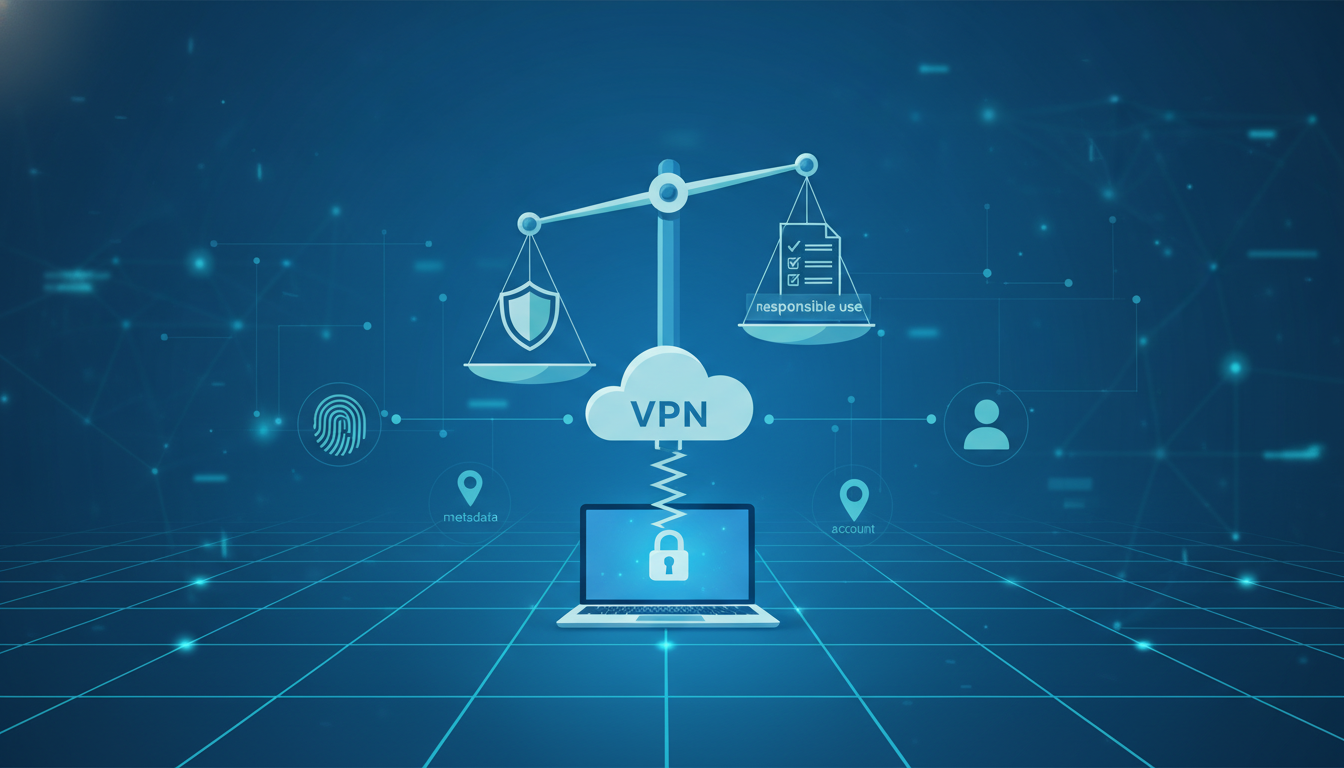
                <p><strong>VPNs</strong> are widely used for privacy, security, and safer browsing. They are also surrounded by misinformation. Some marketing claims suggest VPNs provide total anonymity, complete invisibility, or zero accountability. <strong>That is not how VPN technology works in the real world.</strong></p>
<p>If you care about privacy, the most important skill is not finding “the strongest VPN.” It is building a realistic understanding of what VPNs can protect, what they cannot protect, and how legal and policy environments shape outcomes.</p>
<p>This article is a reality check. It focuses on lawful use, responsible expectations, and the concept of privacy as risk reduction—not an escape from rules. A VPN is a tool. Tools can improve safety, but they do not replace judgment.</p>
<p>In many countries, using a VPN is legal. In others, VPN use may be restricted, regulated, or monitored. Laws also change over time. Because of this, “legal everywhere” is not an honest statement for any provider or blog to make. Users should always check local regulations and comply with them.</p>
<p>Even in places where VPN use is legal, policy enforcement can still exist. Schools, employers, hotels, and corporate networks may restrict or monitor VPN usage through internal rules. This is not always censorship—it is often compliance and security management.</p>
<p>A VPN primarily protects data in transit by encrypting traffic between your device and a VPN server. This can reduce exposure on untrusted networks and limit how much your ISP can see. However, a VPN does not delete your digital identity. If you log into an account tied to you, that service knows who you are regardless of the network path.</p>
<p>This is one of the most important privacy truths: encryption protects content, not identity. A user’s identity is often revealed through accounts, behavior patterns, device fingerprints, and payment relationships. A VPN does not remove those signals.</p>
<p>A second truth is that VPNs do not guarantee anonymity. Even if a provider retains minimal logs, other parties can still collect information. Websites can log activity. Apps can collect telemetry. Advertising systems can profile users through fingerprints and behavior. Privacy is an ecosystem problem, not a single feature.</p>
<p>This is why risk modeling matters. Instead of thinking “am I anonymous,” a better question is “what risks am I reducing?” For example, a VPN can reduce IP-based tracking, protect against local Wi-Fi monitoring, and limit exposure to basic network profiling. That is meaningful. But it does not make you invisible.</p>
<p>A responsible privacy mindset also respects boundaries. Privacy tools are not meant to violate laws, break platform rules, or enable harm. They exist to reduce unnecessary data collection and improve user safety in normal, lawful usage. Any blog claiming otherwise is promoting unrealistic and potentially risky expectations.</p>
<p>From a compliance perspective, it is also important to consider data handling. A VPN is a trust relationship. You route traffic through a third party, and that provider becomes part of your security model. Choosing a provider should involve evaluating transparency, technical design, and business incentives.</p>
<p>No-logs policies and third-party audits can improve trust, but they are not magical guarantees. Users should still assume that every online action leaves some form of trace somewhere: in device logs, in account histories, or in external platforms. The goal is minimizing exposure, not denying reality.</p>
<p>Another overlooked safety factor is user behavior. If someone uses a VPN but keeps the same browser fingerprint across sessions, signs into the same accounts everywhere, and allows unrestricted trackers, their privacy improvements are limited. Technology helps most when paired with smarter habits.</p>
<p>The best privacy setups are often simple: a reputable VPN, consistent settings, a clean browser profile, and minimal tracking exposure. Complex stacks may look impressive, but they can create new failure points and false confidence. Simplicity is often the real security feature.</p>
<p>Finally, it is worth acknowledging that “privacy” means different things to different people. For some, it is avoiding profiling and advertising. For others, it is protecting work connections, preventing Wi-Fi interception, or reducing metadata exposure. A good privacy strategy starts with defining your goals and choosing tools accordingly.</p>
<p>If you approach VPN usage as risk reduction, legal compliance, and realistic boundaries, you will get the true benefits of privacy technology without falling into marketing myths. In 2026, the strongest privacy advantage is not secrecy. It is understanding what systems measure—and controlling what you unnecessarily expose.</p>
<p><strong>Disclaimer:</strong> This article is for educational purposes only and discusses lawful, responsible privacy practices. It does not provide instructions for bypassing restrictions or violating laws or terms of service.</p>
            ]]>
        </content>
    </entry>
    <entry>
        <title>Performance Under Pressure: Latency, Packet Loss, MTU, and Mobile Network Switching</title>
        <author>
            <name>securemastervpn</name>
        </author>
        <link href="https://securemastervpn.com/performance-under-pressure-latency-packet-loss-mtu-and-mobile-network-switching.html"/>
        <id>https://securemastervpn.com/performance-under-pressure-latency-packet-loss-mtu-and-mobile-network-switching.html</id>
        <media:content url="https://securemastervpn.com/media/posts/6/nano-banana-2026-01-16T08-51-43.png" medium="image" />

        <updated>2026-01-08T14:51:00+06:00</updated>
            <summary type="html">
                <![CDATA[
                        <img src="https://securemastervpn.com/media/posts/6/nano-banana-2026-01-16T08-51-43.png" alt="" />
                    A VPN can be perfectly secure and still feel frustrating to use. Users often describe VPN problems in simple terms:&hellip;
                ]]>
            </summary>
        <content type="html">
            <![CDATA[
                    <p><img src="https://securemastervpn.com/media/posts/6/nano-banana-2026-01-16T08-51-43.png" class="type:primaryImage" alt="" /></p>
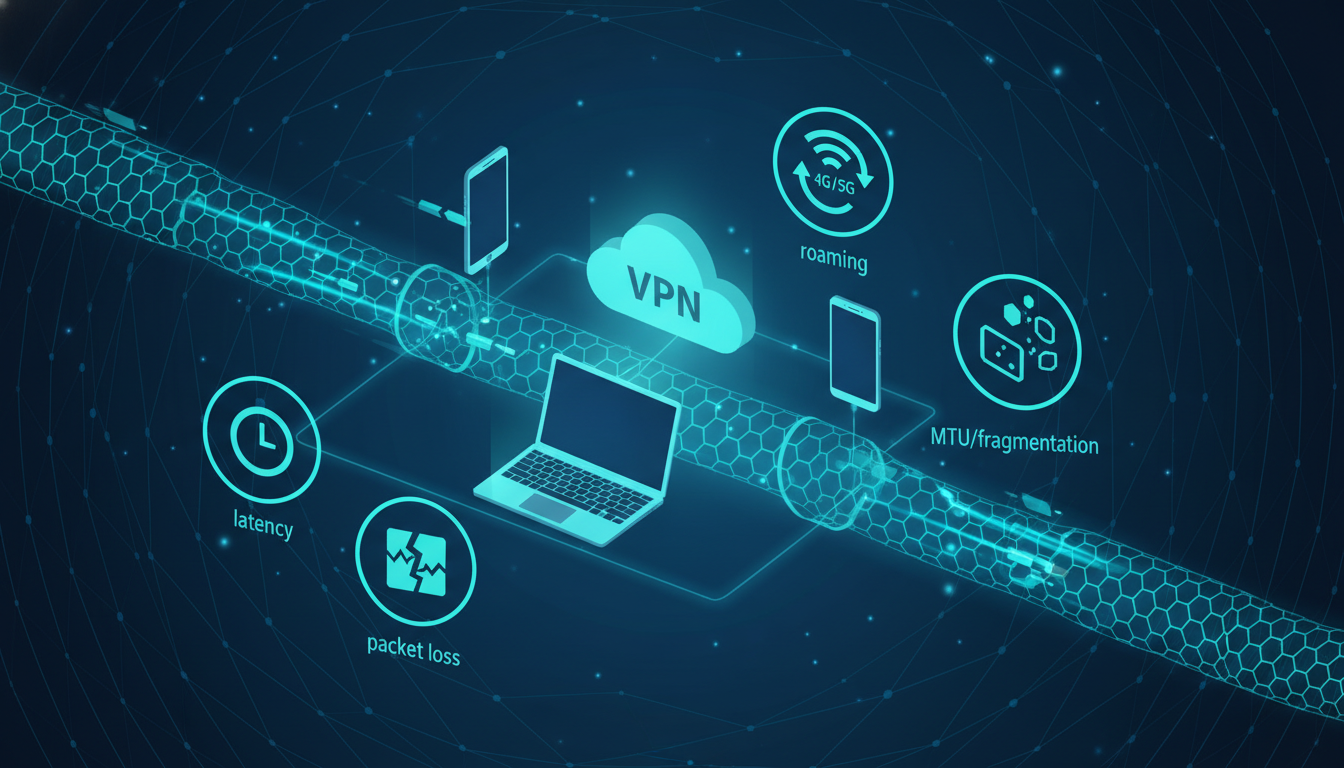
                <p>A VPN can be perfectly secure and still feel frustrating to use. Users often describe VPN problems in simple terms: “it’s slow,” “it keeps disconnecting,” or “some sites don’t load.” But behind these symptoms are measurable network factors—latency, packet loss, MTU limits, and routing behavior.</p>
<p>In restricted or unstable environments, these factors become more intense. Even small inefficiencies can create large performance drops, especially for real-time apps, video calls, or mobile browsing. Understanding what actually causes VPN performance issues is the first step toward building a setup that stays reliable.</p>
<p>The first factor is latency. Latency is the time it takes for data to travel from your device to a destination and back. A VPN adds an extra hop because traffic must reach a VPN server before reaching the final site. If the VPN server is far away—or the route to it is inefficient—latency increases.</p>
<p>High latency is not always obvious in speed tests, but it affects user experience. Pages may “start loading” slower. Interactive services feel delayed. Video calls become unstable. In many cases, VPN users mistake latency problems for bandwidth problems.</p>
<p>The second factor is packet loss. Packet loss happens when some data packets never reach their destination. On the internet, small packet loss is normal, but higher levels cause major issues. Encryption does not prevent packet loss. In fact, VPN tunnels can amplify the impact because retransmissions occur inside the encrypted channel.</p>
<p>Packet loss is especially common on mobile networks, congested Wi-Fi, and during network transitions. It often shows up as sudden pauses, buffering, or services that time out even though the connection is still “active.” When packet loss increases, the VPN may appear unstable even when the provider is not the problem.</p>
<p>A third factor is MTU, which stands for Maximum Transmission Unit. MTU defines the largest packet size a network path can carry without fragmentation. VPN encryption adds extra overhead to each packet. If the underlying network MTU is too small, packets may fragment or fail, causing slowdowns or partial connectivity.</p>
<p>MTU issues are often responsible for a frustrating pattern: some sites load normally, others never fully open. Users assume it’s blocking or censorship. Sometimes it is. But MTU mismatch can create the same symptoms without any filtering involved.</p>
<p>Routing is another performance layer. Your traffic does not take a single predictable path to the VPN server. It travels through multiple networks, and those routes change based on congestion, peering agreements, and local infrastructure. Two VPN servers in the same country can perform very differently depending on route quality.</p>
<p>This is why “closest server” is not always the fastest. Distance matters, but routing efficiency matters too. A slightly farther server with a cleaner route can outperform a closer one with poor transit.</p>
<p>Mobile network switching adds another challenge. When you move between Wi-Fi and cellular data, your device may change IP addresses, network interfaces, and DNS behavior. A VPN tunnel must either reconnect quickly or maintain a stable session across changes. Protocols with strong roaming behavior can feel smoother here, while others may drop more often.</p>
<p>In restricted environments, the problem may be multiplied by active interference. Networks can throttle, delay, or deprioritize encrypted tunnels. Even without outright blocking, this can degrade performance enough to make VPN usage impractical. The user experience becomes “slow,” but the underlying cause is policy-driven traffic handling.</p>
<p>It is important to understand that speed tests rarely reflect real performance. A VPN might show good download numbers but still feel slow in daily browsing. This happens when latency is high, packet loss is unstable, or MTU issues affect certain traffic patterns.</p>
<p>Reliability matters more than peak throughput for most users. A stable connection that stays consistent under pressure is often a better privacy outcome than the fastest connection that breaks frequently. Users who experience instability tend to disable VPN protection completely, which defeats the original purpose.</p>
<p>Realistic performance improvement comes from choosing stable server locations, keeping configurations simple, and avoiding unnecessary complexity. In many cases, “simpler and consistent” beats “maximum settings” for long-term usability.</p>
<p>VPN performance is not purely about the provider. It is a system made of your device, your local network, your ISP route, and the VPN infrastructure. When performance fails, it usually fails at one of these layers. Understanding the layers is what turns VPN usage from trial-and-error into predictable results.</p>
<p><strong>Disclaimer:</strong> This article is for educational purposes only and discusses lawful, responsible privacy technology concepts. It does not provide instructions for bypassing restrictions or violating laws or terms of service.</p>
            ]]>
        </content>
    </entry>
    <entry>
        <title>DNS, IPv6, and Leak Risks in Restricted Networks</title>
        <author>
            <name>securemastervpn</name>
        </author>
        <link href="https://securemastervpn.com/dns-ipv6-and-leak-risks-in-restricted-networks.html"/>
        <id>https://securemastervpn.com/dns-ipv6-and-leak-risks-in-restricted-networks.html</id>
        <media:content url="https://securemastervpn.com/media/posts/5/nano-banana-2026-01-16T08-49-45.png" medium="image" />

        <updated>2026-01-07T14:49:00+06:00</updated>
            <summary type="html">
                <![CDATA[
                        <img src="https://securemastervpn.com/media/posts/5/nano-banana-2026-01-16T08-49-45.png" alt="" />
                    Many VPN users focus on one thing: whether their IP address looks different. That is an important signal, but it&hellip;
                ]]>
            </summary>
        <content type="html">
            <![CDATA[
                    <p><img src="https://securemastervpn.com/media/posts/5/nano-banana-2026-01-16T08-49-45.png" class="type:primaryImage" alt="" /></p>
                <p>Many VPN users focus on one thing: whether their IP address looks different. That is an important signal, but it is not the entire privacy story. In real-world environments—especially restricted or controlled networks—privacy often breaks down through leaks.</p>
<p>A “leak” does not mean your VPN encryption failed. It usually means certain types of traffic escaped the protected tunnel. This can expose metadata such as visited domains, real network details, or routing behavior, even while the main connection appears protected.</p>
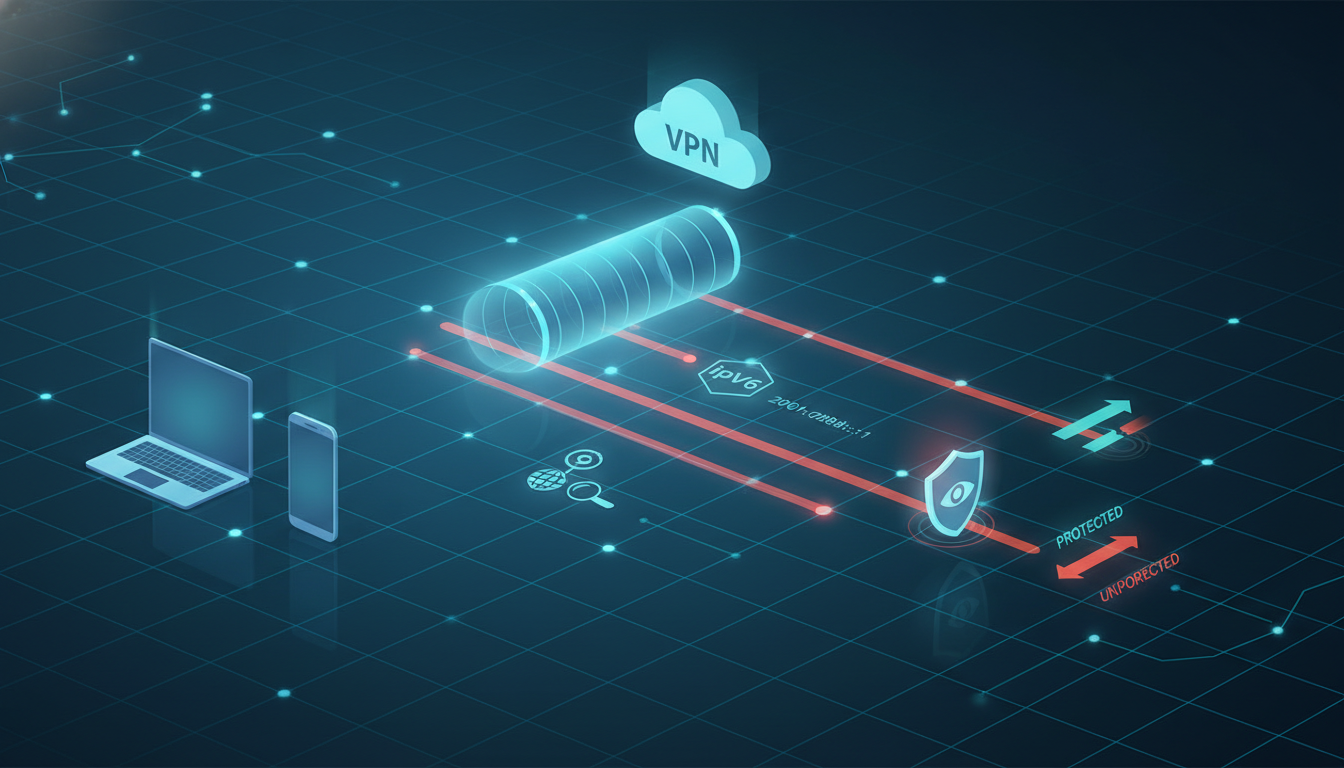
<p>The most common privacy failure is a DNS leak. DNS is the system that translates website names into IP addresses. If DNS requests are routed outside the VPN tunnel, a network observer may still see which domains you access, even when everything else is encrypted.</p>
<p>DNS leaks are often invisible to users. Websites still load, apps still work, and the VPN client shows “connected.” But in the background, domain resolution happens through the ISP or local network resolver, creating a strong correlation signal.</p>
<p>Another frequently overlooked factor is IPv6. Many VPN services handle IPv4 well but treat IPv6 inconsistently depending on their architecture. If a device has IPv6 connectivity and the VPN does not fully route IPv6 traffic, some connections may bypass the tunnel.</p>
<p>When IPv6 leaks occur, the user may appear protected under IPv4, while parts of their traffic still travel outside the VPN. This creates a privacy split: one identity inside the tunnel, another outside it. For tracking systems, that inconsistency is often useful.</p>
<p>Split tunneling introduces another layer of risk. Split tunneling allows certain apps or destinations to bypass the VPN intentionally, while others remain protected. This feature exists for practical reasons, such as local network access or performance. But privacy-wise, it can create unintended exposure.</p>
<p>The danger with split tunneling is not the feature itself, but the assumptions users make. If you believe “the VPN is on,” you may treat all traffic as protected. In split tunneling mode, that is no longer true. Some traffic leaves the tunnel by design.</p>
<p>This matters more in restricted environments because networks often rely on correlation. If one application leaks DNS or IPv6 information outside the tunnel, it can help link other encrypted activity back to a real network identity. In other words, small leaks can undo big protections.</p>
<p>Leaks can also happen during network transitions. Switching between Wi-Fi and mobile data may briefly reset routing tables, trigger DNS fallback behavior, or disrupt tunnel stability. For users, this looks like momentary instability. For tracking systems, it can generate useful identification signals.</p>
<p>Another factor is local DNS enforcement. Some networks redirect DNS queries regardless of user settings. This can cause DNS-based failures, partial loading, or inconsistent access. It may also create a situation where DNS appears “working,” but privacy is degraded.</p>
<p>It is important to keep expectations realistic. A VPN is a powerful privacy tool, but it is not a guarantee of zero exposure. Strong privacy comes from reducing correlation signals, and leaks are correlation multipliers.</p>
<p>The most effective approach is to treat leak prevention as a core requirement, not a bonus feature. A privacy setup should be evaluated not only by whether it connects, but by whether it consistently routes critical traffic through the intended tunnel.</p>
<p>Users who take privacy seriously should periodically check their environment: DNS behavior, IPv6 handling, and whether any split routing is active. These checks are not about paranoia—they are about avoiding silent failure.</p>
<p>The best privacy setups are predictable and boring. They avoid complex configurations unless necessary. They minimize exceptions. And they reduce the number of pathways where metadata can escape.</p>
<p>In restricted networks, this matters even more. When observers focus on metadata instead of content, DNS and routing signals become high-value indicators. Protecting those signals is a major part of what makes VPN usage effective.</p>
<p><strong>Disclaimer:</strong> This article is for educational purposes only and discusses lawful, responsible privacy technology concepts. It does not provide instructions for bypassing restrictions or violating laws or terms of service.</p>
            ]]>
        </content>
    </entry>
    <entry>
        <title>Why Some VPNs Fail Under Restrictions: IP Blocks, SNI Filtering, and Provider Reputation</title>
        <author>
            <name>securemastervpn</name>
        </author>
        <link href="https://securemastervpn.com/why-some-vpns-fail-under-restrictions-ip-blocks-sni-filtering-and-provider-reputation.html"/>
        <id>https://securemastervpn.com/why-some-vpns-fail-under-restrictions-ip-blocks-sni-filtering-and-provider-reputation.html</id>
        <media:content url="https://securemastervpn.com/media/posts/4/nano-banana-2026-01-16T08-47-02.png" medium="image" />

        <updated>2026-01-05T14:47:00+06:00</updated>
            <summary type="html">
                <![CDATA[
                        <img src="https://securemastervpn.com/media/posts/4/nano-banana-2026-01-16T08-47-02.png" alt="" />
                    When a VPN “stops working,” most users assume something is wrong with their device. In reality, VPN failures in restricted&hellip;
                ]]>
            </summary>
        <content type="html">
            <![CDATA[
                    <p><img src="https://securemastervpn.com/media/posts/4/nano-banana-2026-01-16T08-47-02.png" class="type:primaryImage" alt="" /></p>
                <p>When a VPN “stops working,” most users assume something is wrong with their device. In reality, VPN failures in restricted or controlled networks often have external causes. Networks can limit connectivity through filtering, reputation scoring, and traffic classification— without ever needing to break encryption.</p>
<p>This article explains why VPN connections fail in constrained environments, how restrictions are typically applied, and why two VPN providers can behave very differently under the same conditions.</p>
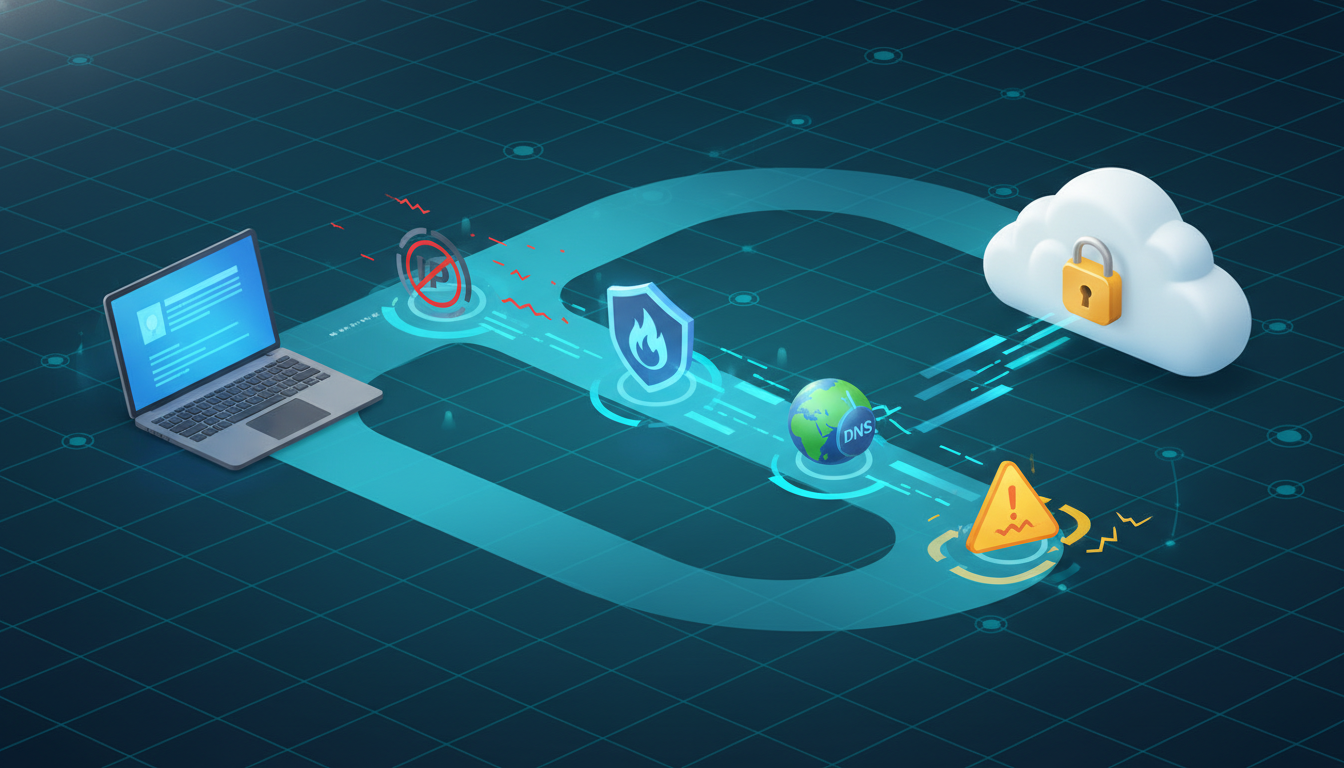
<p>The most common reason for VPN failure is simple: the server IP gets blocked. Many VPN endpoints are hosted in datacenters and use IP ranges that are easy to identify. Once an IP or subnet becomes associated with heavy VPN traffic, it can be placed on blocklists or treated as suspicious.</p>
<p>IP-based blocks are popular because they are cheap and fast. A network operator does not need advanced inspection capabilities—only a list of IPs. This is why a VPN may work temporarily and then fail later: the endpoint’s reputation changed or it entered a blacklist.</p>
<p>Another major cause is reputation scoring at the ASN level. Instead of blocking individual IPs, networks may restrict traffic coming from hosting providers, cloud infrastructure, or specific ASNs known for proxy or VPN usage. This method is broader and can remove entire “families” of VPN servers at once.</p>
<p>Filtering can also target <strong>connection metadata</strong>. Even with HTTPS, certain connection traits remain visible. For example, the domain a user intends to visit can sometimes be inferred during the early stages of establishing encrypted connections. These signals can be used to enforce policy without decrypting traffic.</p>
<p>One widely discussed concept in restricted environments is SNI-based filtering. SNI refers to Server Name Indication, which is used in some TLS handshakes to indicate which hostname a client is attempting to reach. If a network monitors this signal, it can block or challenge connections to specific destinations even when the content is encrypted.</p>
<p>From a user perspective, this often looks like random instability: the VPN connects, but certain websites fail. Or the VPN fails to connect entirely depending on the server location. The network is not breaking encryption—it is filtering what happens before encryption fully settles.</p>
<p>DNS handling is another frequent failure point. If DNS requests escape the tunnel or are forced through a resolver controlled by the network, connections may appear broken or partially functional. Users experience timeouts, loading errors, or redirect loops without realizing DNS is the cause.</p>
<p>Some networks apply throttling rather than outright blocking. Instead of stopping VPN traffic, they reduce its speed, add delays, or trigger frequent interruptions. This makes VPN usage frustrating and unreliable while avoiding obvious “blocking” behavior.</p>
<p>Provider infrastructure quality is also a deciding factor. A large provider with diverse server networks and strong traffic engineering can rotate endpoints, manage capacity, and respond quickly to restrictions. A smaller provider with limited infrastructure may fail more often simply because it has fewer clean IP ranges and fewer routing options.</p>
<p>Another factor is how predictable a VPN protocol looks on the wire. Some connections are easier to classify due to handshake fingerprints and flow patterns. If a network uses DPI classification tools, it can flag certain patterns as VPN-like and apply restrictions automatically.</p>
<p>This is why VPN reliability under restrictions is rarely solved by “one setting.” Failures are usually caused by a mix of IP reputation, filtering rules, DNS behavior, and provider engineering decisions.</p>
<p>A realistic expectation is that restrictions are dynamic. Networks change rules. Endpoints get flagged. Traffic patterns evolve. A VPN that works today may require adjustments tomorrow—not because it is weak, but because the environment changes.</p>
<p>For users who rely on VPNs for lawful privacy, the safest approach is not to chase unrealistic stealth. Instead, understand why failures happen and choose providers that invest in infrastructure, transparency, and resilient network engineering.</p>
<p>Privacy is not only about encryption. It is also about reliability, consistency, and minimizing exposure of signals that lead to classification. When VPNs fail under restrictions, the root cause is usually detection and policy—not weak cryptography.</p>
<p><strong>Disclaimer:</strong> This article is for educational purposes only and discusses lawful, responsible privacy technology concepts. It does not provide instructions for bypassing restrictions or violating laws or terms of service.</p>
            ]]>
        </content>
    </entry>
    <entry>
        <title>Obfuscation Explained: What It Is (and What It Isn’t)</title>
        <author>
            <name>securemastervpn</name>
        </author>
        <link href="https://securemastervpn.com/obfuscation-explained-what-it-is-and-what-it-isnt.html"/>
        <id>https://securemastervpn.com/obfuscation-explained-what-it-is-and-what-it-isnt.html</id>
        <media:content url="https://securemastervpn.com/media/posts/3/nano-banana-2026-01-16T08-44-06.png" medium="image" />

        <updated>2026-01-02T14:45:00+06:00</updated>
            <summary type="html">
                <![CDATA[
                        <img src="https://securemastervpn.com/media/posts/3/nano-banana-2026-01-16T08-44-06.png" alt="" />
                    In privacy discussions, the word “obfuscation” is often used as if it is a magic feature. Some people assume it&hellip;
                ]]>
            </summary>
        <content type="html">
            <![CDATA[
                    <p><img src="https://securemastervpn.com/media/posts/3/nano-banana-2026-01-16T08-44-06.png" class="type:primaryImage" alt="" /></p>
                <p>In privacy discussions, the word “obfuscation” is often used as if it is a magic feature. Some people assume it means stronger encryption. Others believe it makes VPN traffic invisible. In reality, obfuscation is neither.</p>
<p>Obfuscation is best understood as a <strong>traffic camouflage layer</strong>. It does not make your data more encrypted. It changes how encrypted traffic appears to observers so it is less likely to be classified, flagged, or treated as unusual. This distinction matters, because classification is often the trigger for restrictions.</p>
<p>To understand why obfuscation exists, you need to understand the difference between encryption and detection. Encryption protects content from being read. Detection systems often do not need to read content. They look for patterns: protocol shapes, handshake behavior, metadata, and flow characteristics.</p>
<p>This is why a VPN can be fully encrypted and still be easy to identify. Encrypted does not mean invisible. Encrypted only means unreadable.</p>
<p>Obfuscation attempts to reduce the visibility of VPN-like patterns. Instead of exposing a recognizable handshake or tunnel behavior, the connection is wrapped or transformed so it resembles something more common. The goal is blending into expected traffic.</p>
<p>Importantly, obfuscation is not the same as “being anonymous.” A connection can be obfuscated and still be tracked through other signals, especially if the user remains logged into personal accounts or carries a consistent browser fingerprint. Obfuscation targets traffic classification, not identity.</p>
<p>Another common misconception is that obfuscation automatically increases security. Security depends on encryption quality, key management, and implementation correctness. Obfuscation may make traffic harder to classify, but it does not replace strong cryptography or secure operational practices.</p>
<p>In many environments, VPN traffic is detected using a layered approach: IP reputation, traffic heuristics, handshake fingerprints, and policy enforcement. Obfuscation primarily targets the fingerprinting layer. It helps when detection is based on protocol patterns rather than strict IP blocking.</p>
<p>However, obfuscation has limits. If a network blocks known server IP ranges, camouflage may not help. If a system uses behavior-based scoring or aggressive filtering, obfuscation may reduce suspicion but not guarantee stability. This is why the word “guarantee” does not belong in serious privacy discussions.</p>
<p>Obfuscation can also come with performance trade-offs. Wrapping traffic can add overhead, increase latency, and reduce throughput. The more layers involved, the more processing is required. For users, this may show up as slightly slower speeds or longer connection times.</p>
<p>It is also possible for obfuscation to increase detectability in some contexts. If a camouflage layer behaves differently than normal traffic at scale, it can become its own signature. This is a constant cat-and-mouse dynamic in network classification.</p>
<p>A realistic way to view obfuscation is as a tool for connection reliability in constrained networks, not as a universal privacy upgrade. It helps certain VPN implementations behave more like normal traffic, but it does not erase metadata, eliminate correlation, or hide user identity on its own.</p>
<p>For most users, the best outcome is not “perfect stealth.” It is consistent, lawful access to privacy protections without interruptions. In that sense, obfuscation can be valuable when used responsibly and understood correctly.</p>
<p>The most important lesson is this: privacy tools work best when users understand what each layer does. Encryption protects content. Obfuscation reduces classification visibility. Neither one changes what happens when you identify yourself through accounts, behavior, or tracking signals.</p>
<p>Obfuscation is not a promise of invisibility. It is an engineering strategy to reduce traffic fingerprinting. When framed honestly, that makes it a legitimate and useful concept in modern VPN technology.</p>
<p><strong>Disclaimer:</strong> This article is for educational purposes only and discusses lawful, responsible privacy technology concepts. It does not provide instructions for bypassing restrictions or violating laws or terms of service.</p>
            ]]>
        </content>
    </entry>
</feed>